

Role: Principal Product Designer, design system lead, Jan 2024 – Sep 2025. I planned and designed the system end to end and worked with the developers on every rollout.
Products: My Music Staff, TutorBird, AthletaDesk, plus an internal test theme.
One system for three products
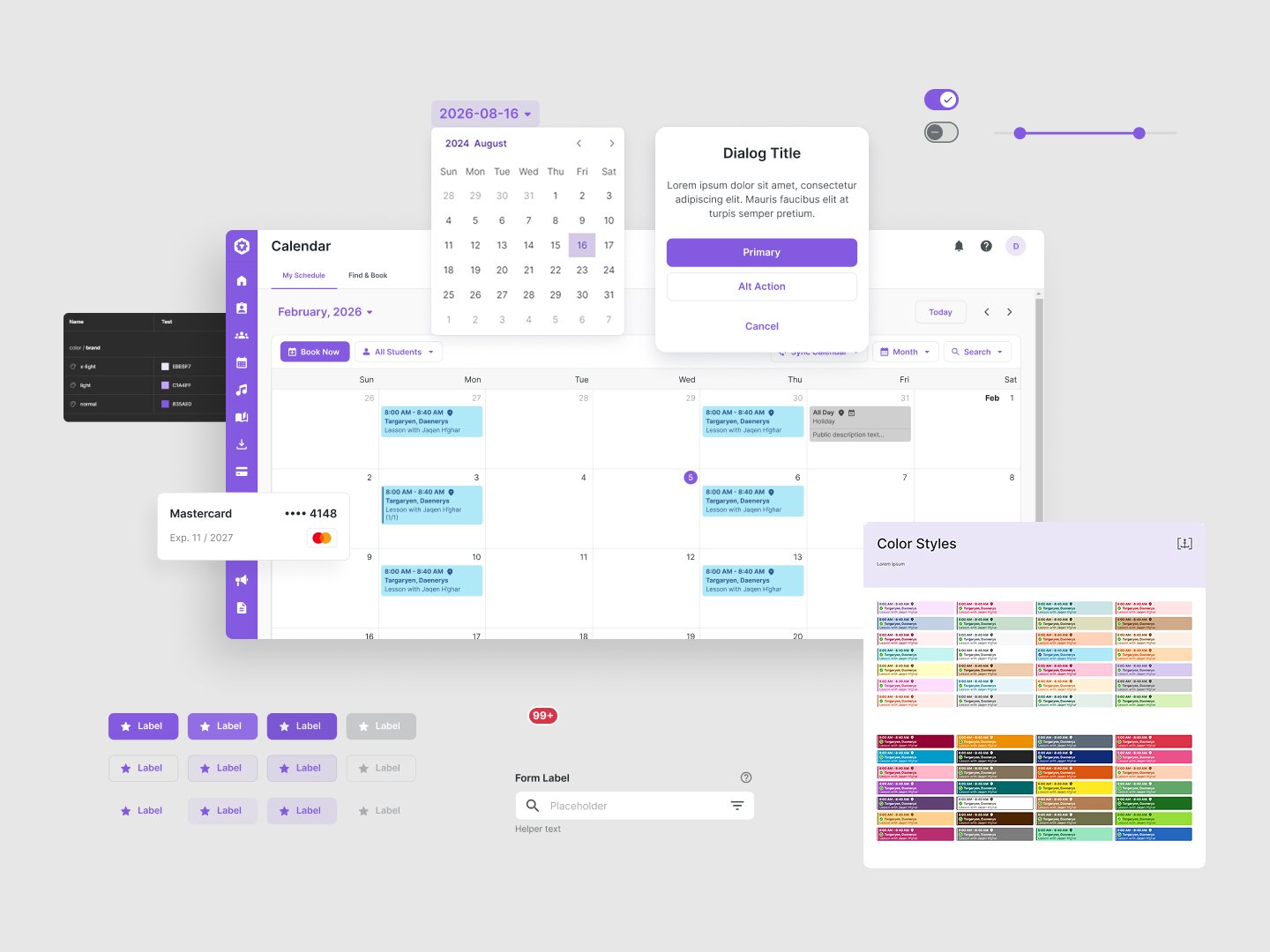
I rebuilt the design system behind three SaaS products for teachers, tutors and trainers. It now has one set of foundations, components and rules, and each product differs only by its theme.
Context
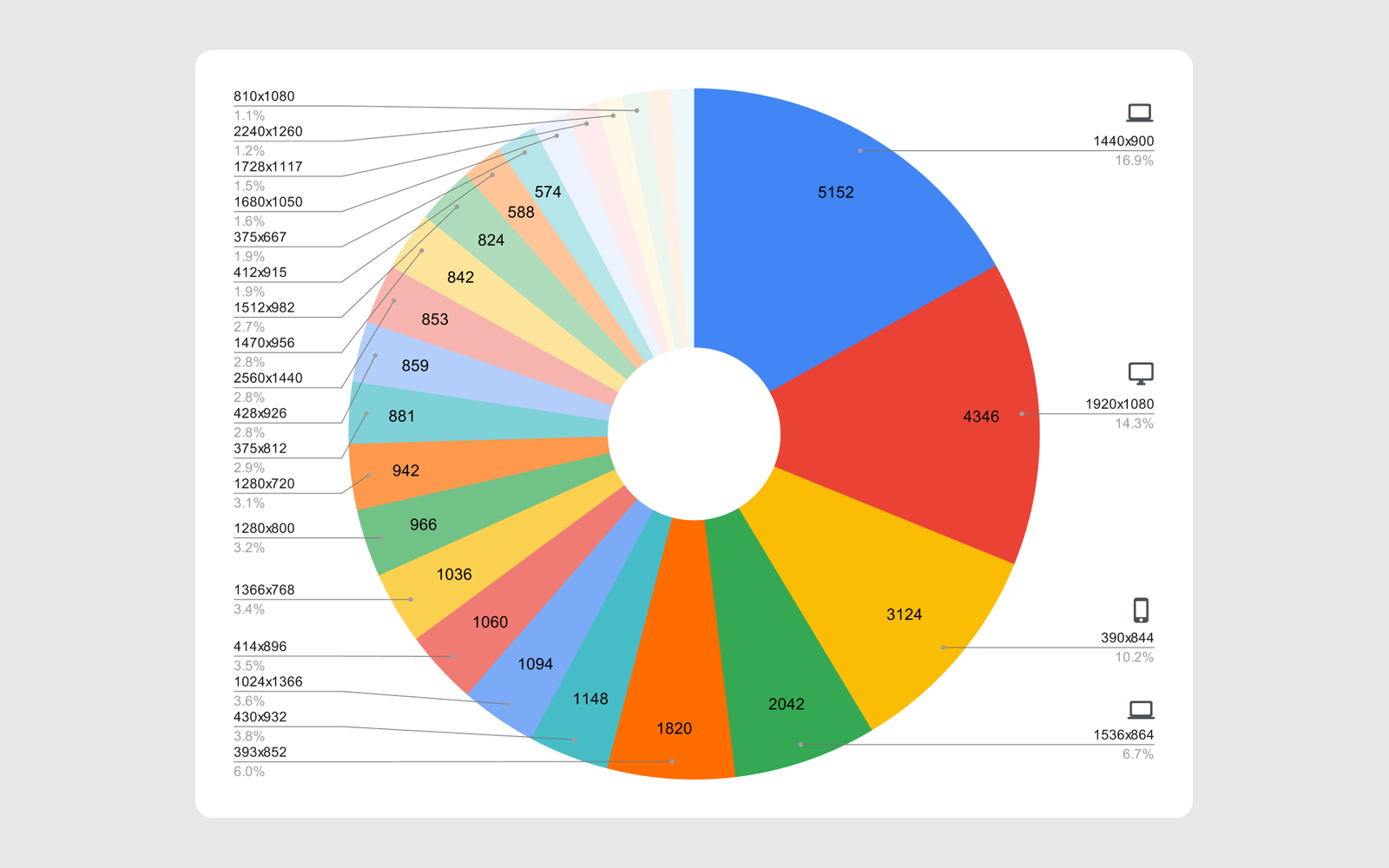
Port 443 builds scheduling and business software for music teachers (My Music Staff), tutors (TutorBird) and personal trainers (AthletaDesk). All of it runs on one codebase. When I started, there were three products and an internal test theme, one team and no shared foundation underneath them. Usage data showed a large share of mobile users on a long tail of screen sizes, so the foundation had to be flexible from the start.
The problems sat on three levels.
Foundations
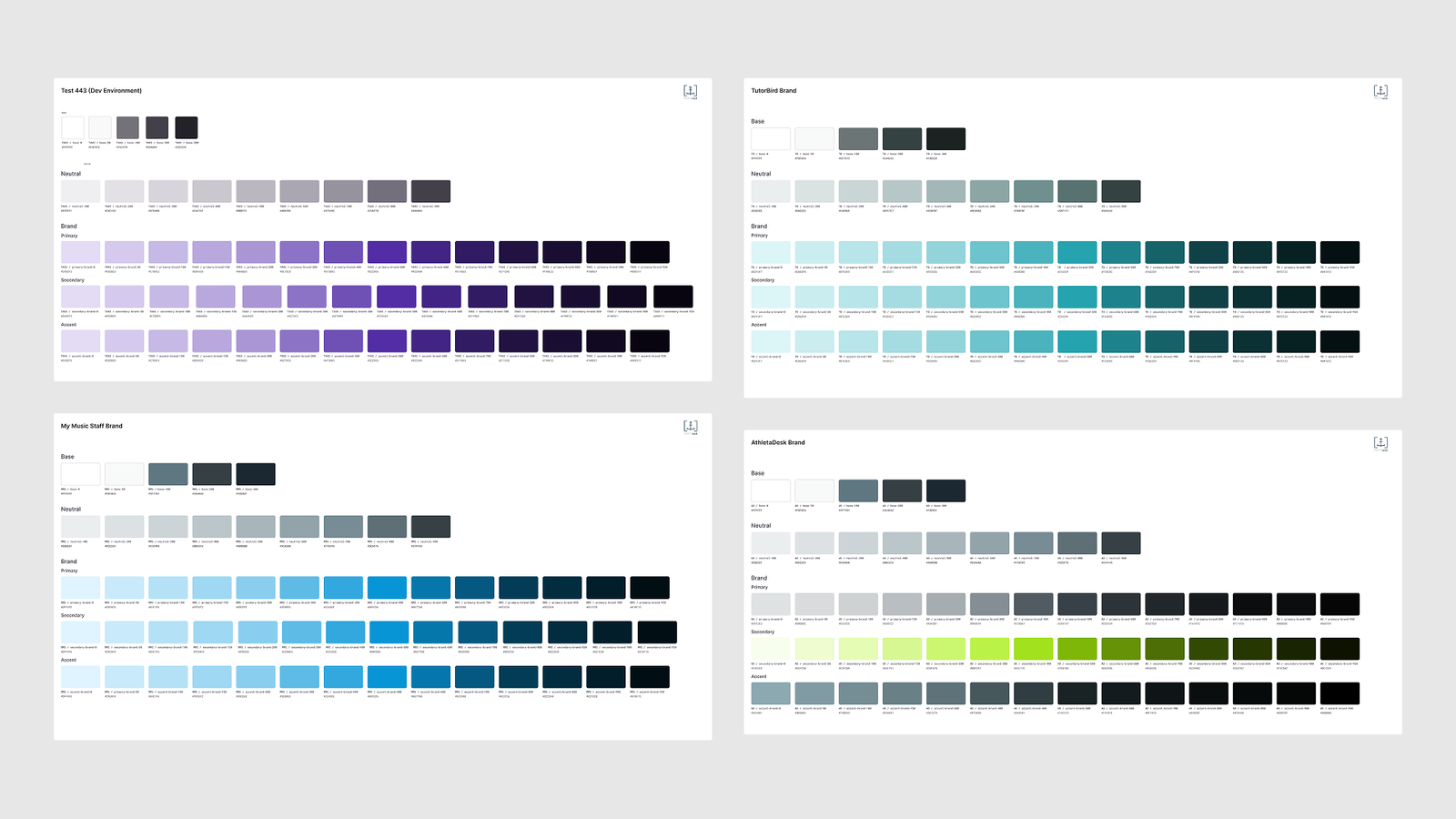
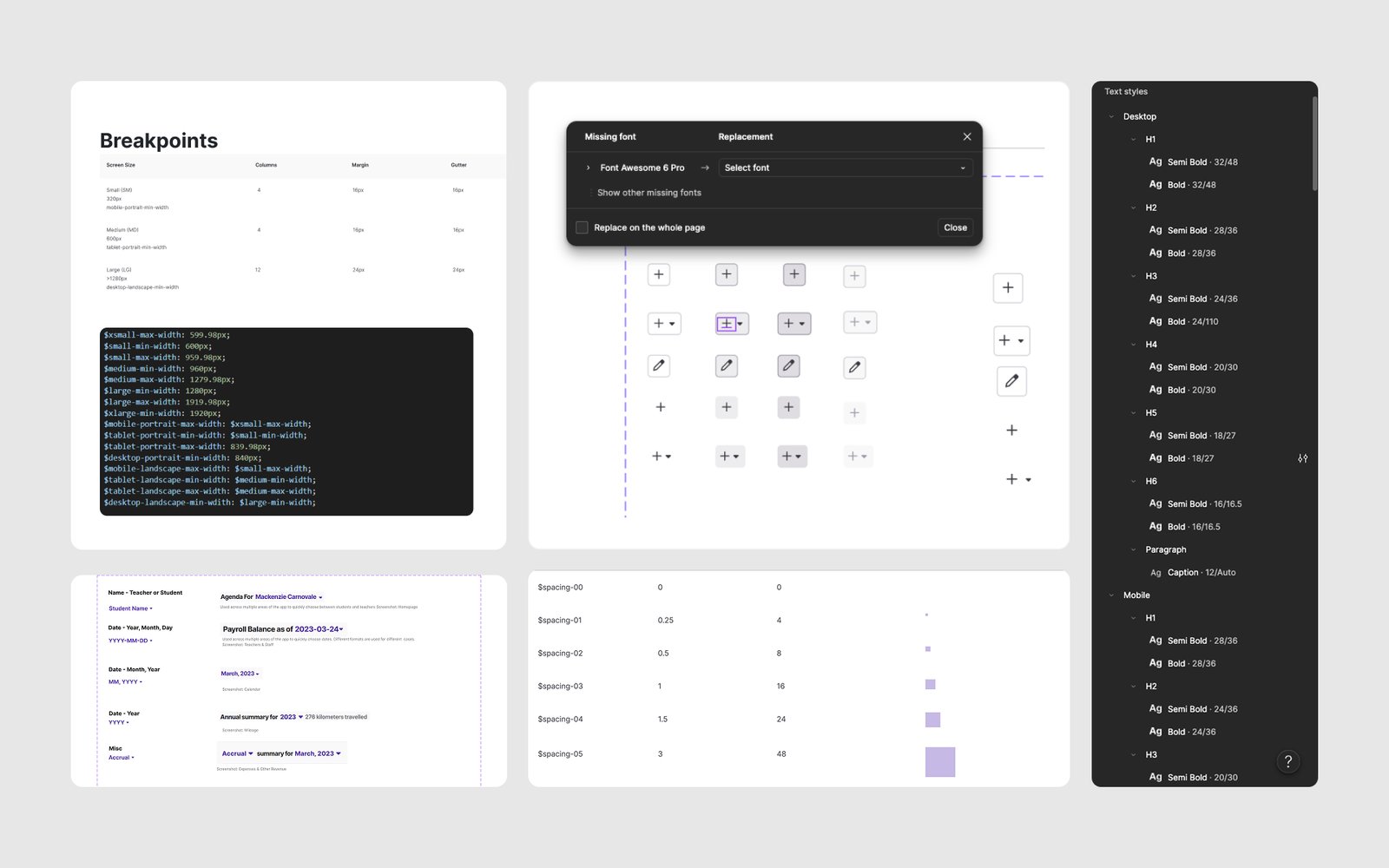
The Primary, Secondary and Accent palettes held the same ramp in most products, and the neutrals lived in two overlapping sets. Spacing had only 6 large tokens and no tokens for icon sizes or corner radius. Type styles in Figma, in the docs and in code disagreed, and Desktop and Mobile styles switched automatically, so designers lost control of responsive text.
The rest of the foundations had the same story: three breakpoints that did not match the code, six spacing tokens, type styles that disagreed across Figma, docs and code, and icons that were Font Awesome characters.
Components
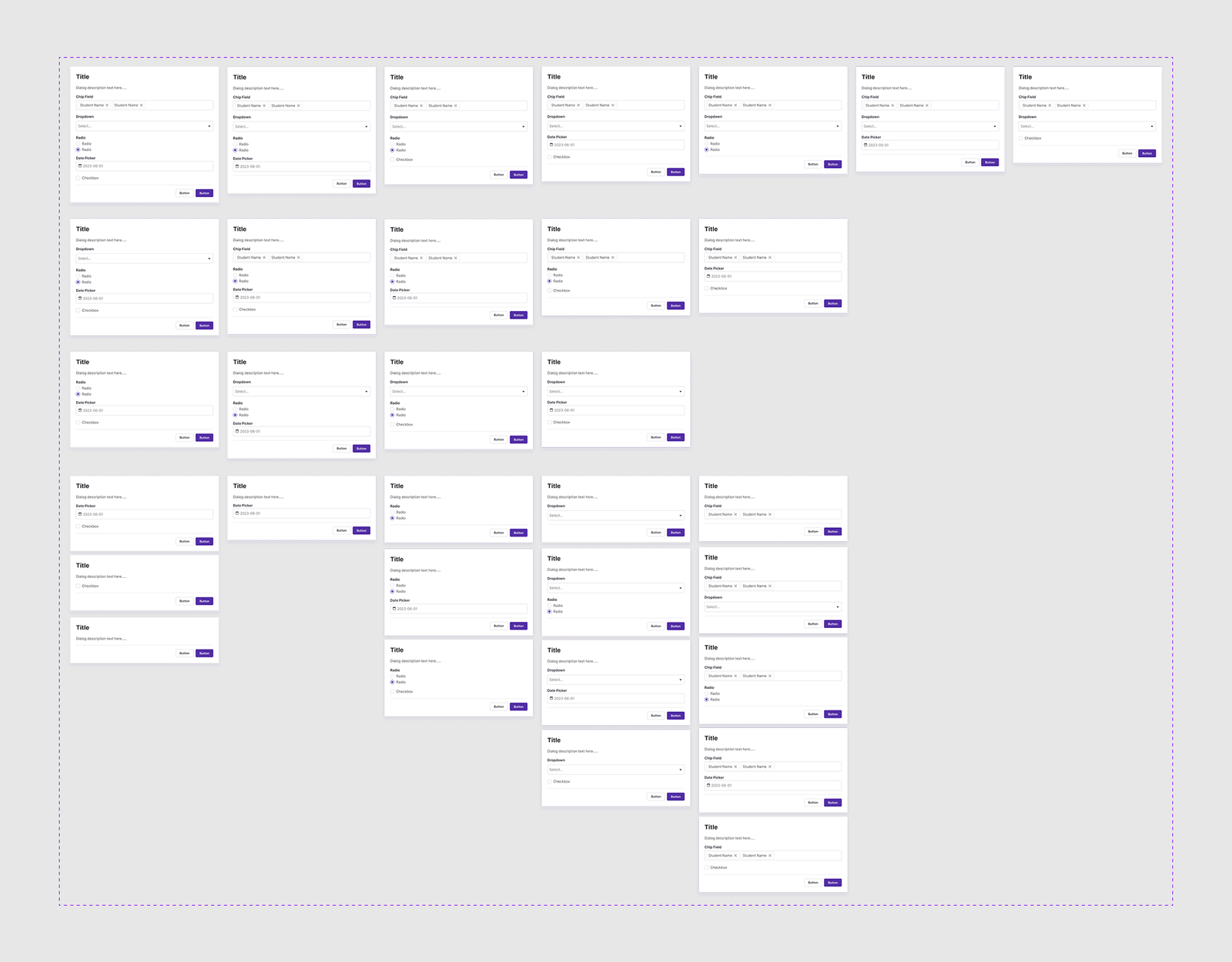
Forms were stuffed into dialogs, with a new custom dialog for every form. Tables were one fixed template, so designers detached them. Status labels had 5 variants in Figma and many more in code. Icons were Font Awesome text characters. “Layouts” were copies of screens, and developers hardcoded the structure.
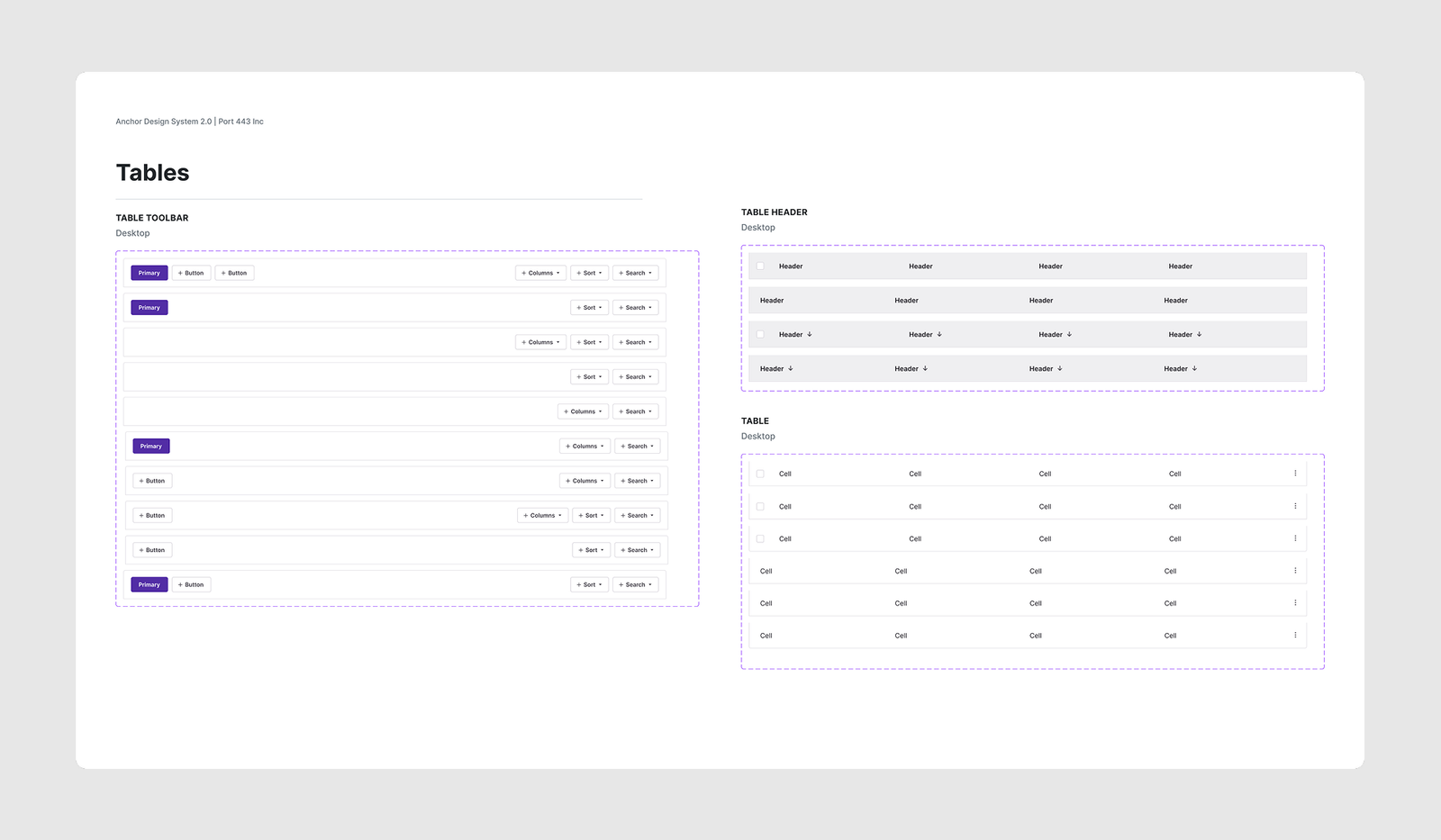
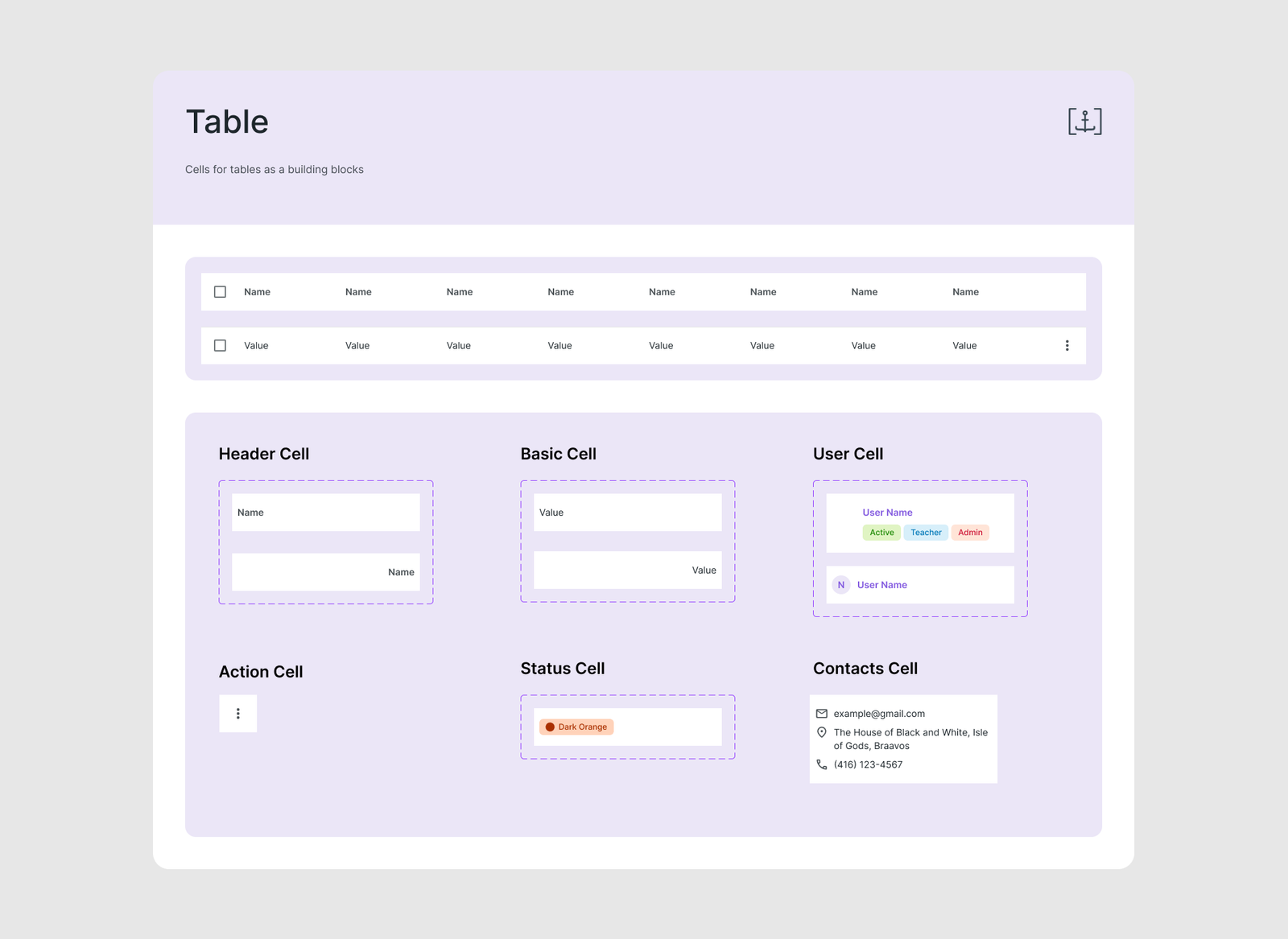
Tables had the same problem: one fixed template with generic text cells, so changing a single column meant overriding the whole row.
Patterns
Of 7 pattern pages, 4 were empty and 1 was junk. Only Pickers had real content.
The result was daily friction. Designers detached components, and developers hardcoded values to match what they saw.
Approach
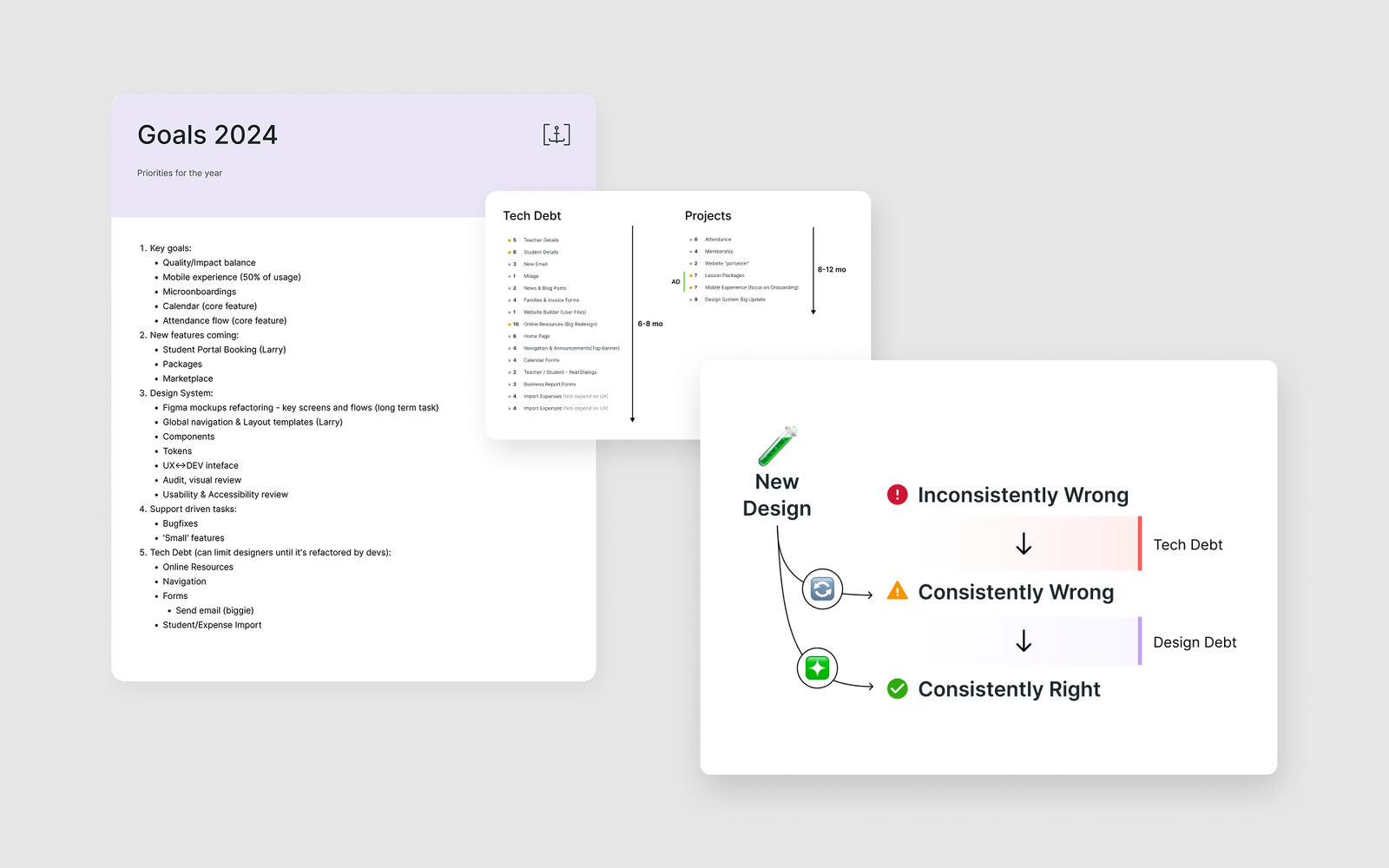
I put the design system on the same roadmap as the product projects, sized and prioritized like any other project. The backlog had 15 estimated items, with a horizon of 6–8 months.
Tech debt first, design debt second.
The working rule was to make things consistent first, then make them right. Consistent but wrong is easier to fix than wrong in ten different ways.
Three goals guided the work:
- One source of truth for design and code.
- No more one-offs from designers detaching and developers hardcoding.
- One system for four products, with differences kept in themes and terminology.
The new foundations
Color
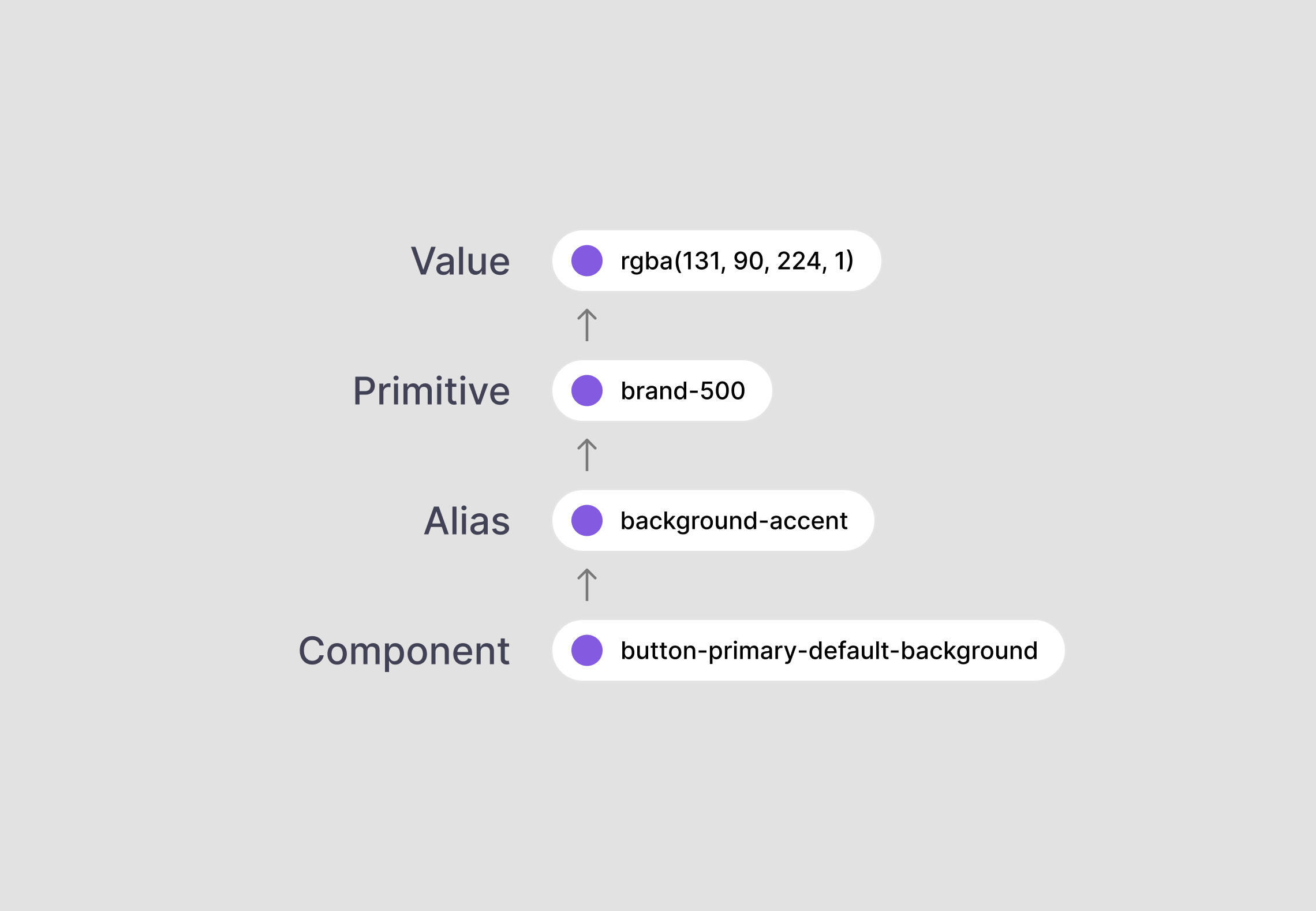
The old palettes were named per product and repeated the same ramp, so changing a brand color meant editing every product by hand. I replaced them with a chain of tokens, a layered approach common in modern design systems, where each layer has one job:
- A primitive names a raw value
- An alias says what the color is for
- A component token uses that alias for one job
Merging the two neutral sets into one scale took the most care: I evened out the steps and renamed them from --color-dark-25 to --color-dark-1000, so a developer can use a name directly. I also cut the brand ramp from 14 to 10 steps with names like lighter, normal and darker.
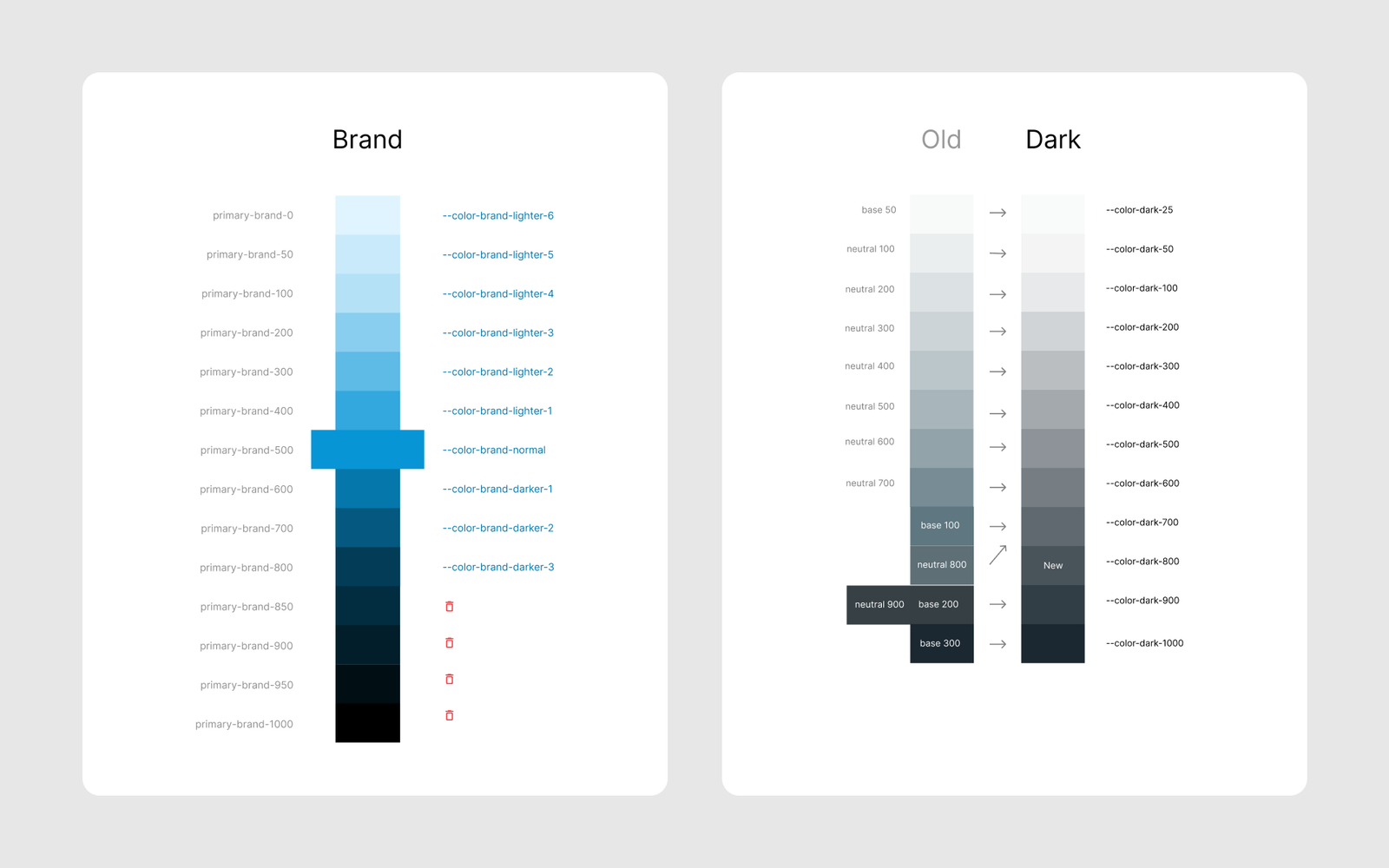
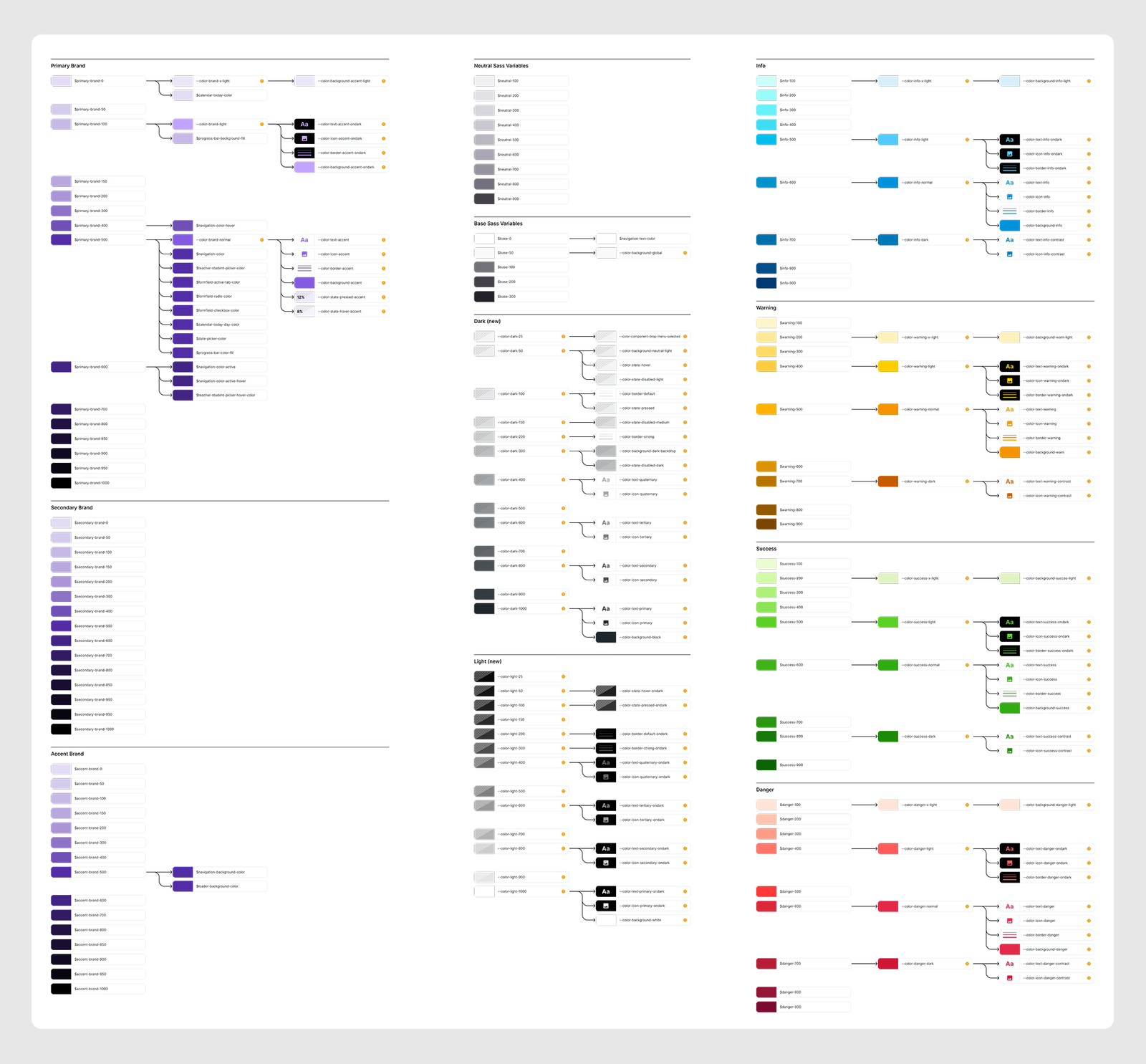
To move the product over, I mapped every old color to its new token, group by group (brand, neutrals, info, warning, success, danger), so the developers had one reference for the whole swap.
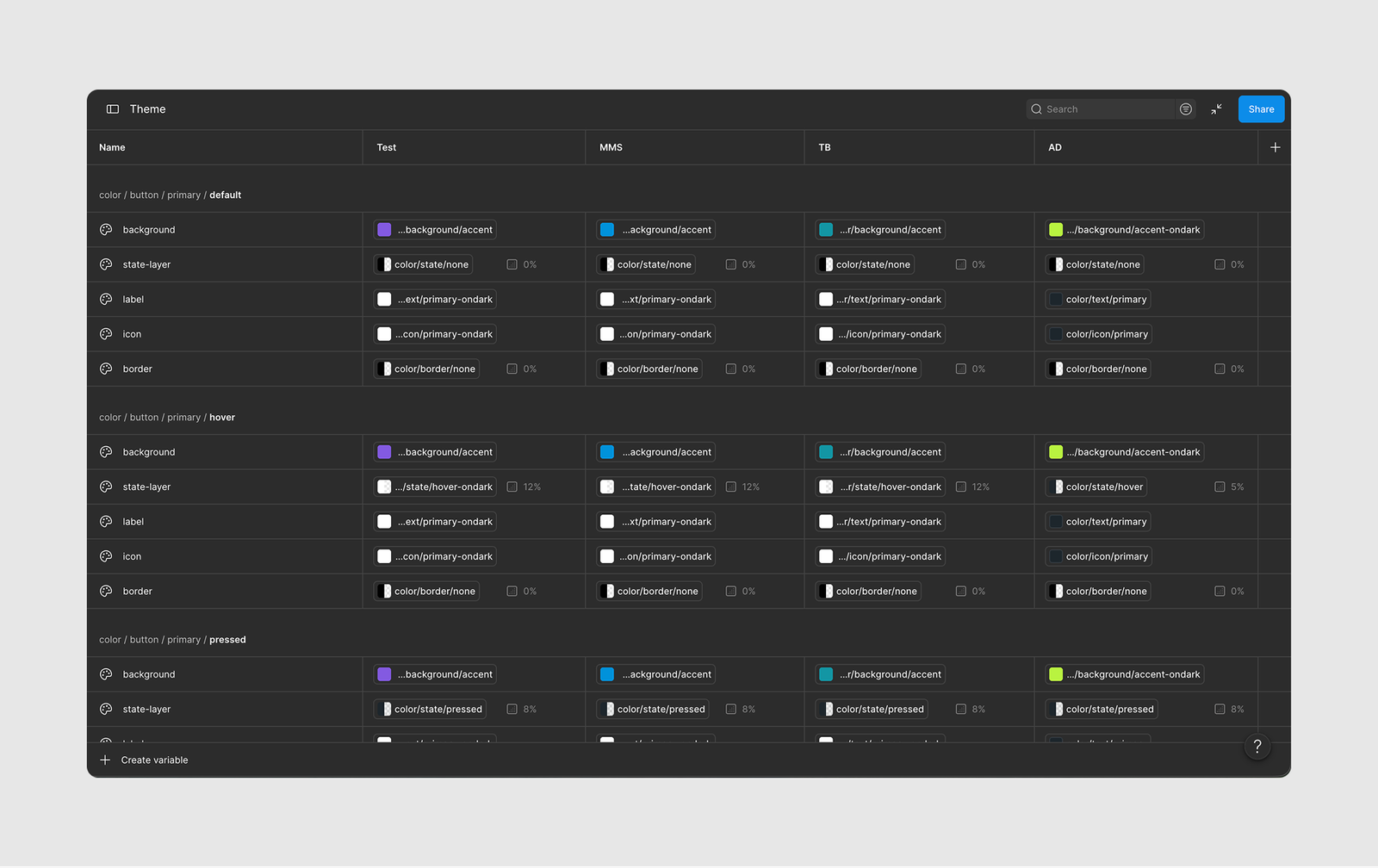
In Figma, these tokens live in one Theme collection with a column per product, so a theme changes the values and the structure stays the same. Figma had no extended collections yet when I set this up. Today I would build each product theme as an extended collection of one base.
Typography
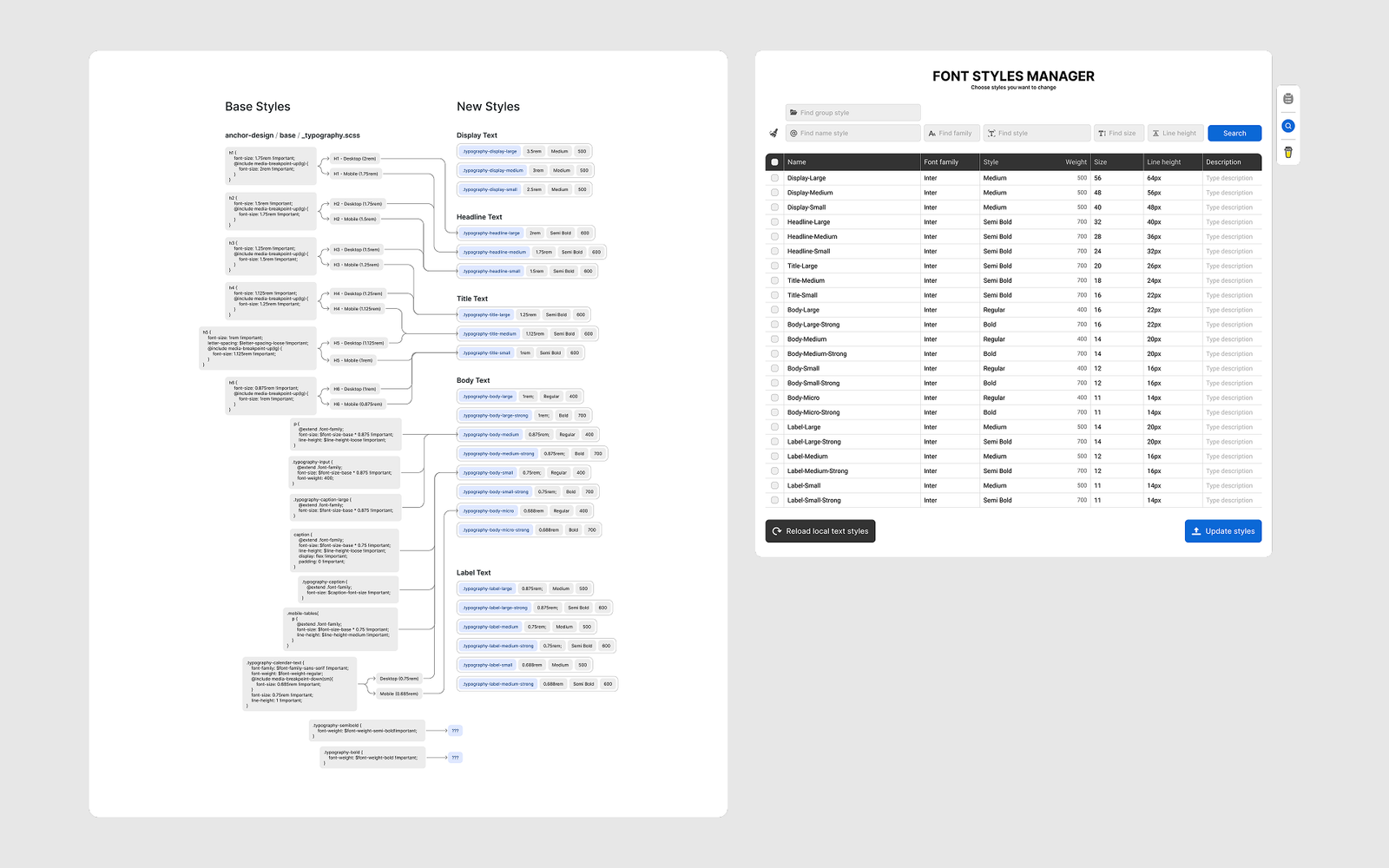
The new system has 23 styles in five groups (Display, Headline, Title, Body, Label) with Strong variants. Names say what a style is for. Font size is set per layout, so designers decide how text behaves on each screen. I built the migration map from the real SCSS running in production, because the old Figma library no longer matched the product.
Spacing, sizing and grid
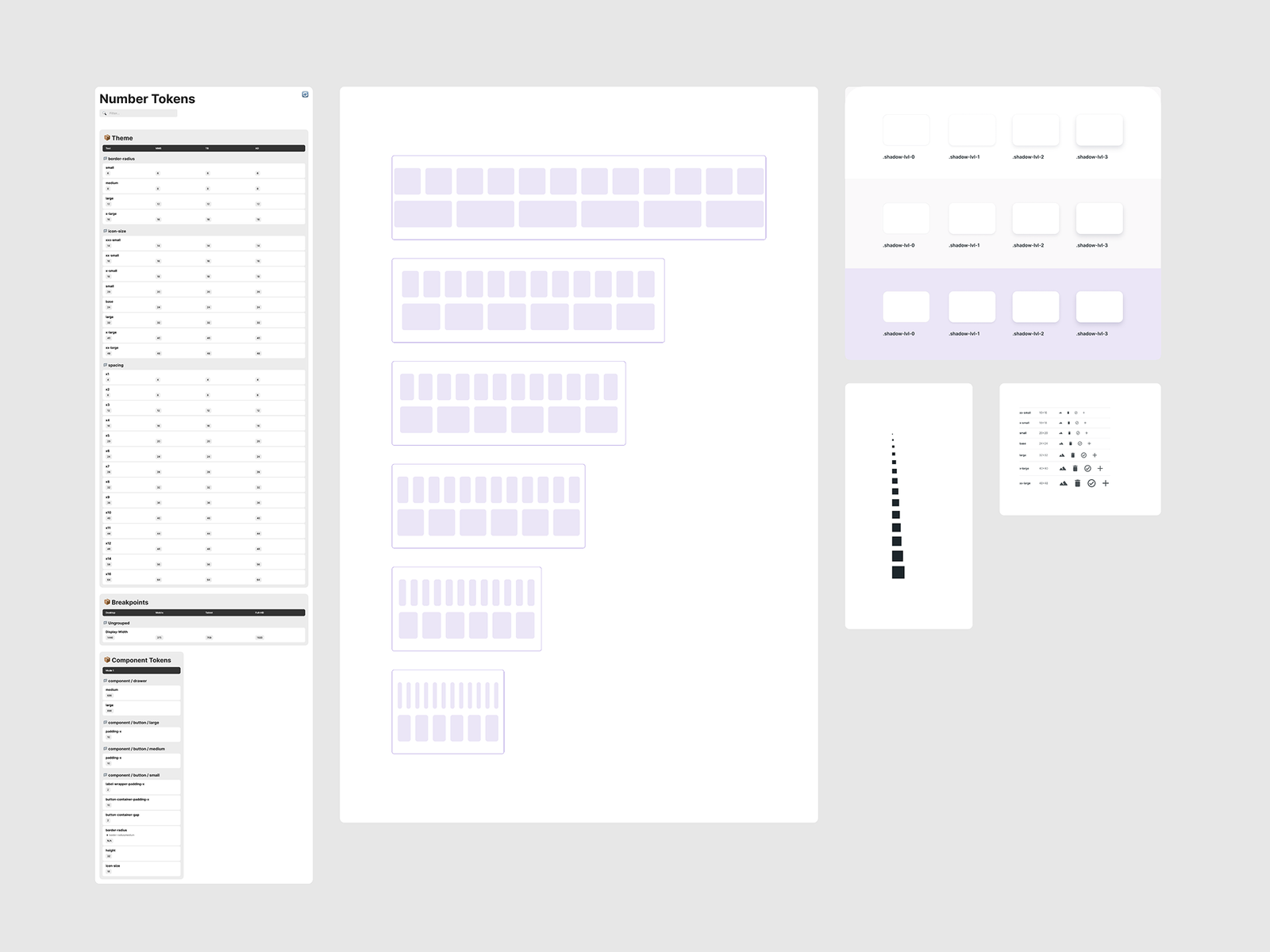
Spacing runs on a 4px scale with 14 tokens (4 to 64px). Icon sizes and corner radius became tokens as well. For the grid, I dropped the custom hardcoded one and moved to Bootstrap, which the product already included. That gave 5 breakpoints plus a fluid layout, and developers could use a known standard.
Icons
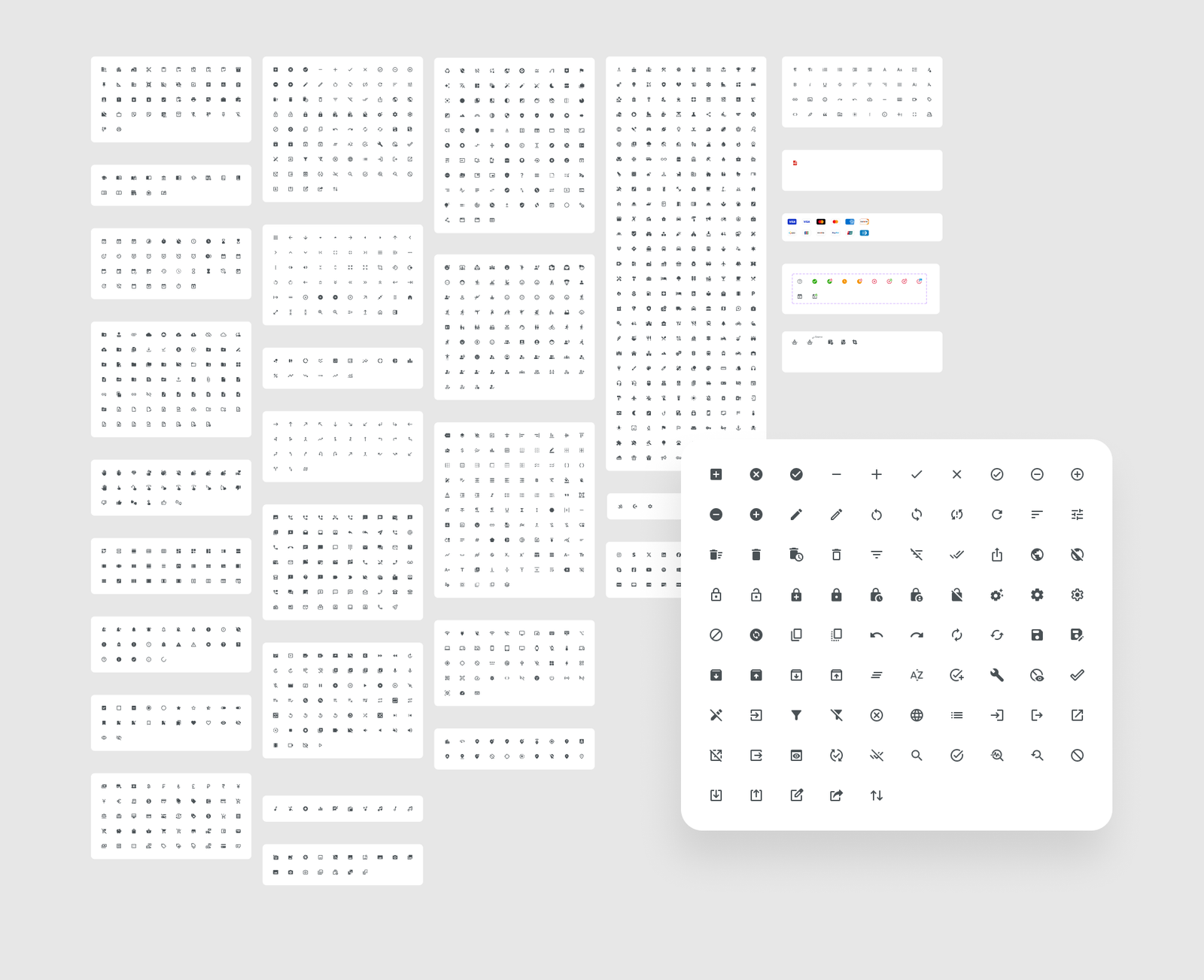
Icons moved from Font Awesome characters to SVG: Material icons as the base, plus our own custom icons drawn in 24×24 boxes and sized by tokens.
Making tokens readable for developers
Developers could not see Figma’s variables table, so I built a small Figma widget that renders token lists as readable tables.
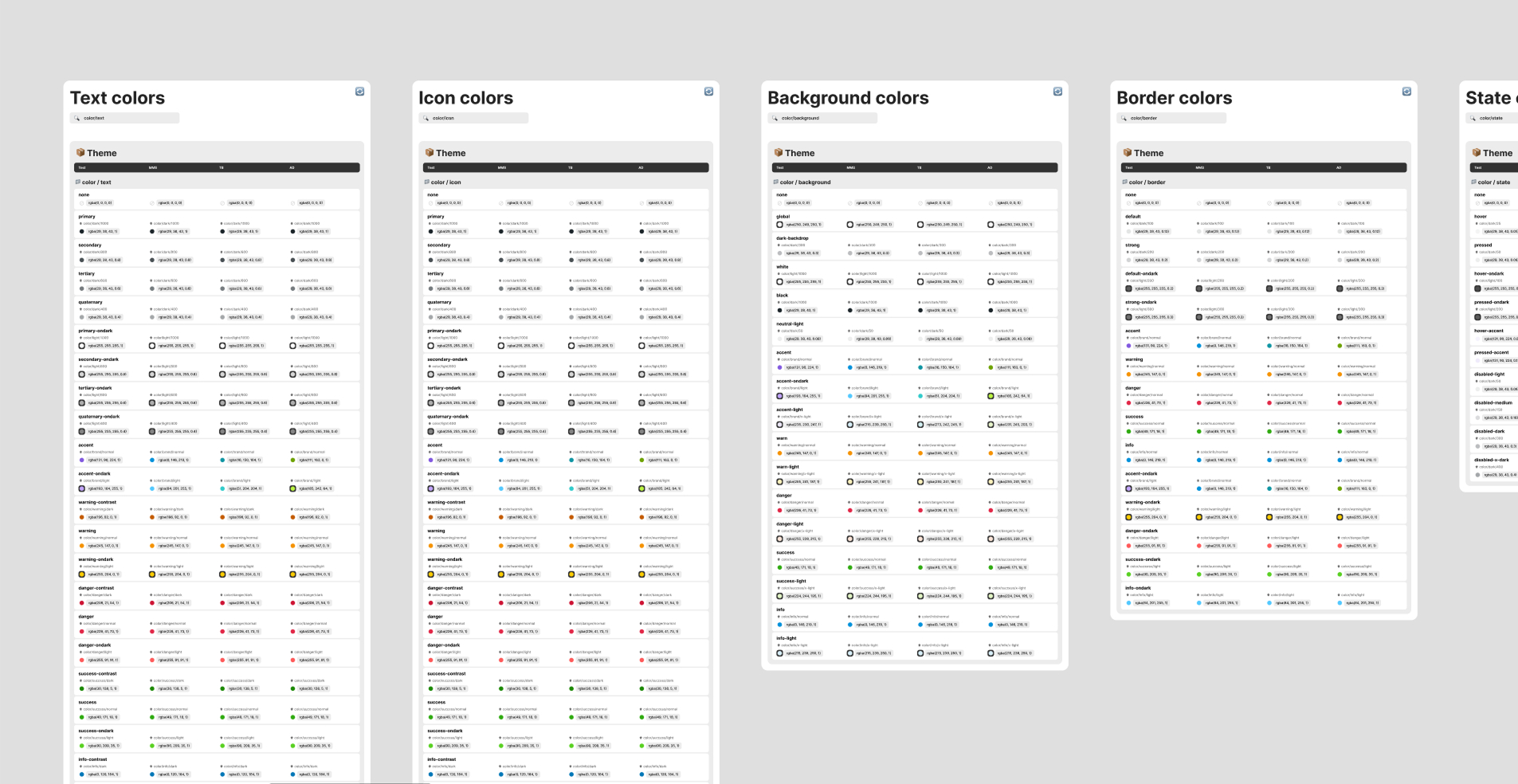
It has its own write-up: Creating a Figma Widget for Token Inspection.
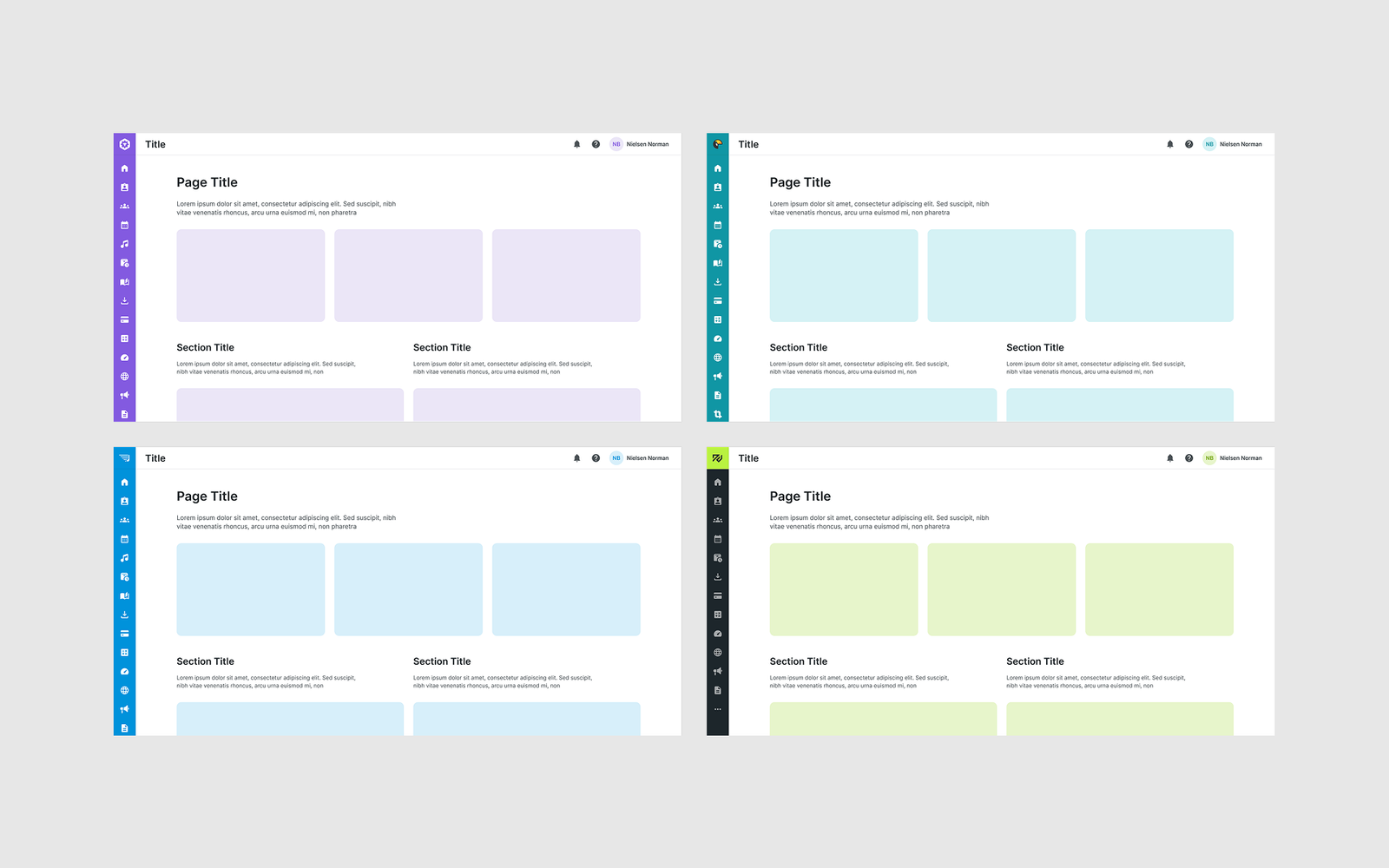
One system, four themes
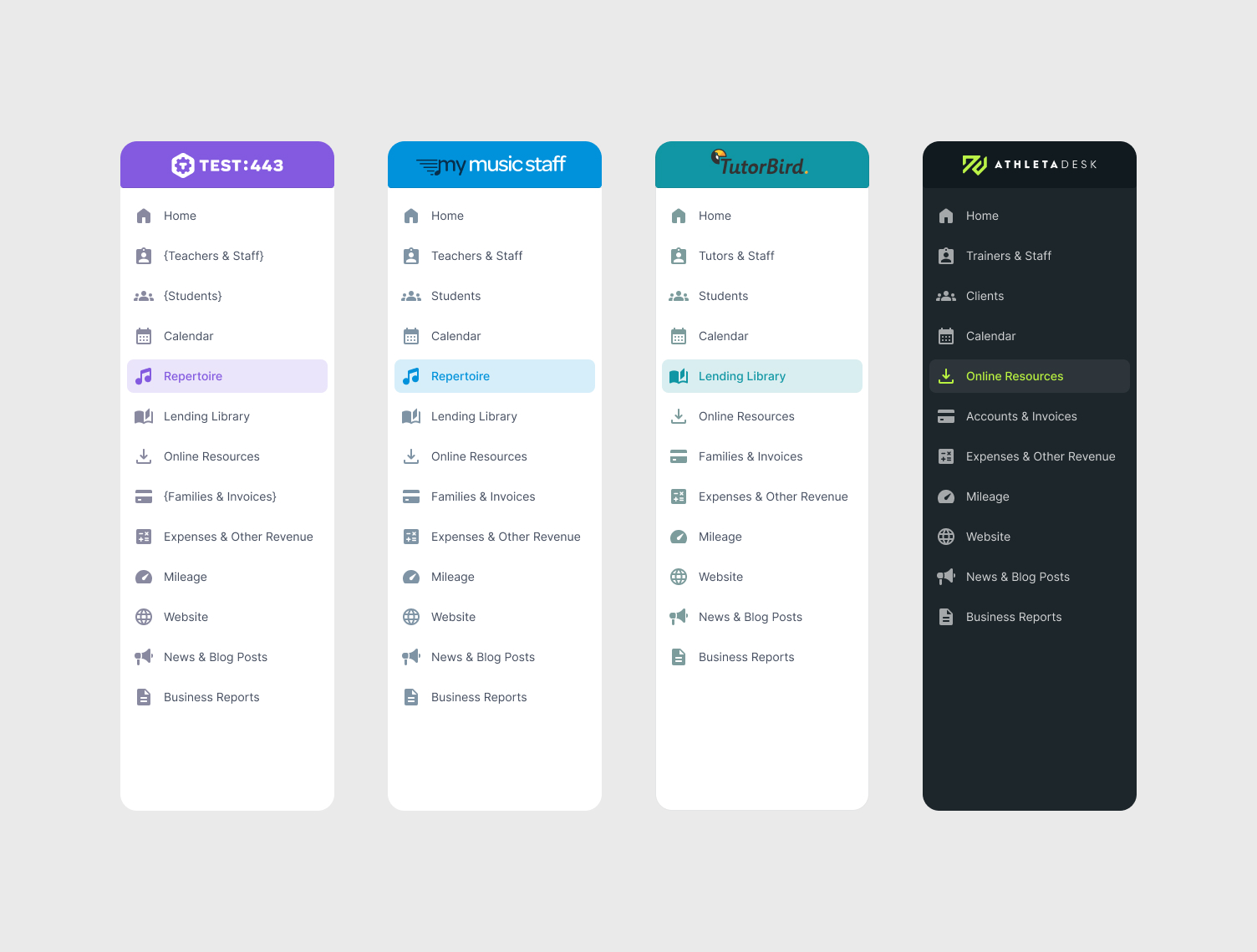
Themes change colors, fonts, logos and terminology (teachers, tutors, trainers). The components stay the same. Navigation keeps one structure and adapts its items to each product.
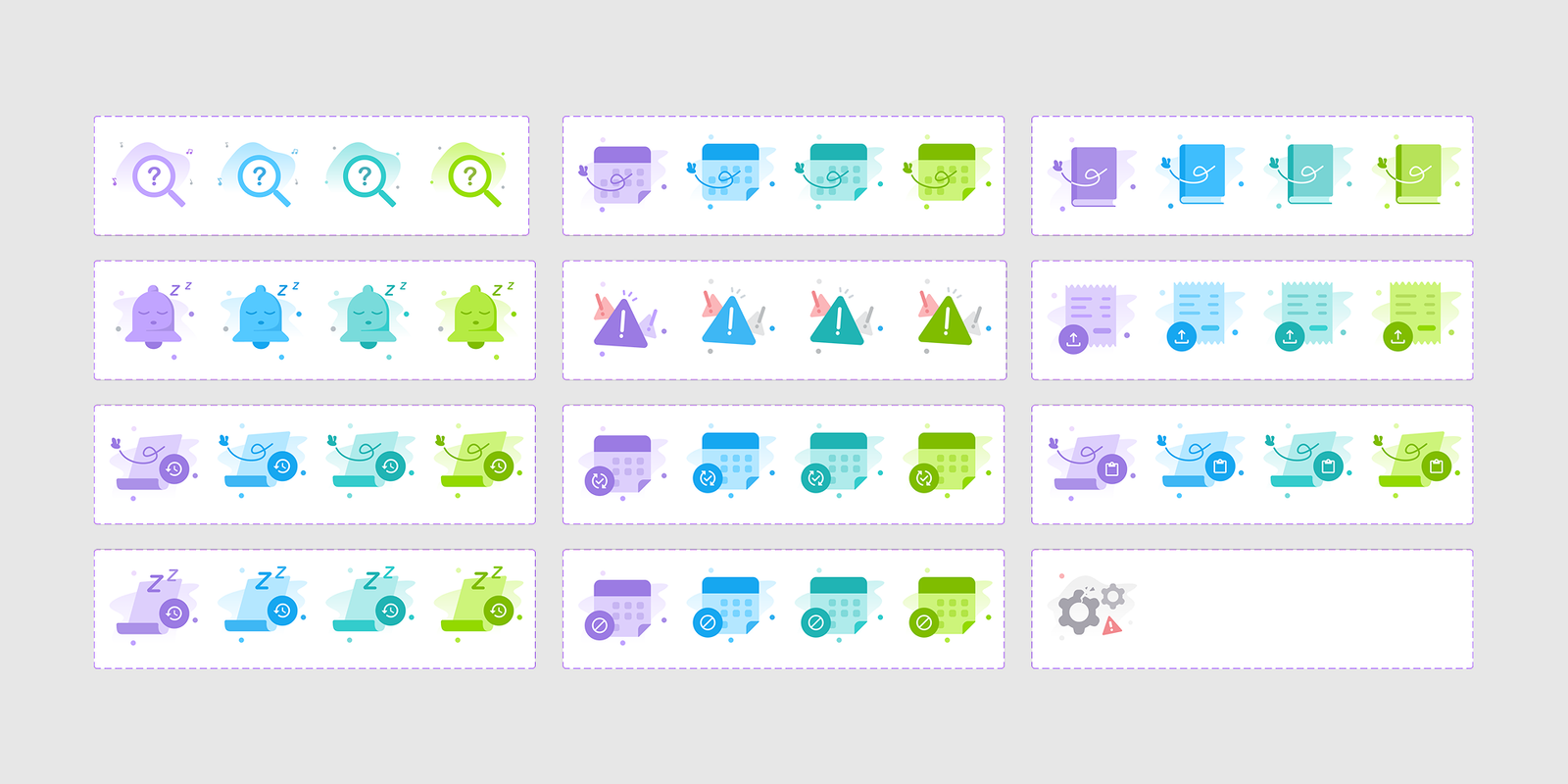
The marketing team had complained about the old illustrations, which were kept as four parallel sets. I set a new direction and drew one set myself in four colorways, plus neutral ones for universal cases.
Components with rules
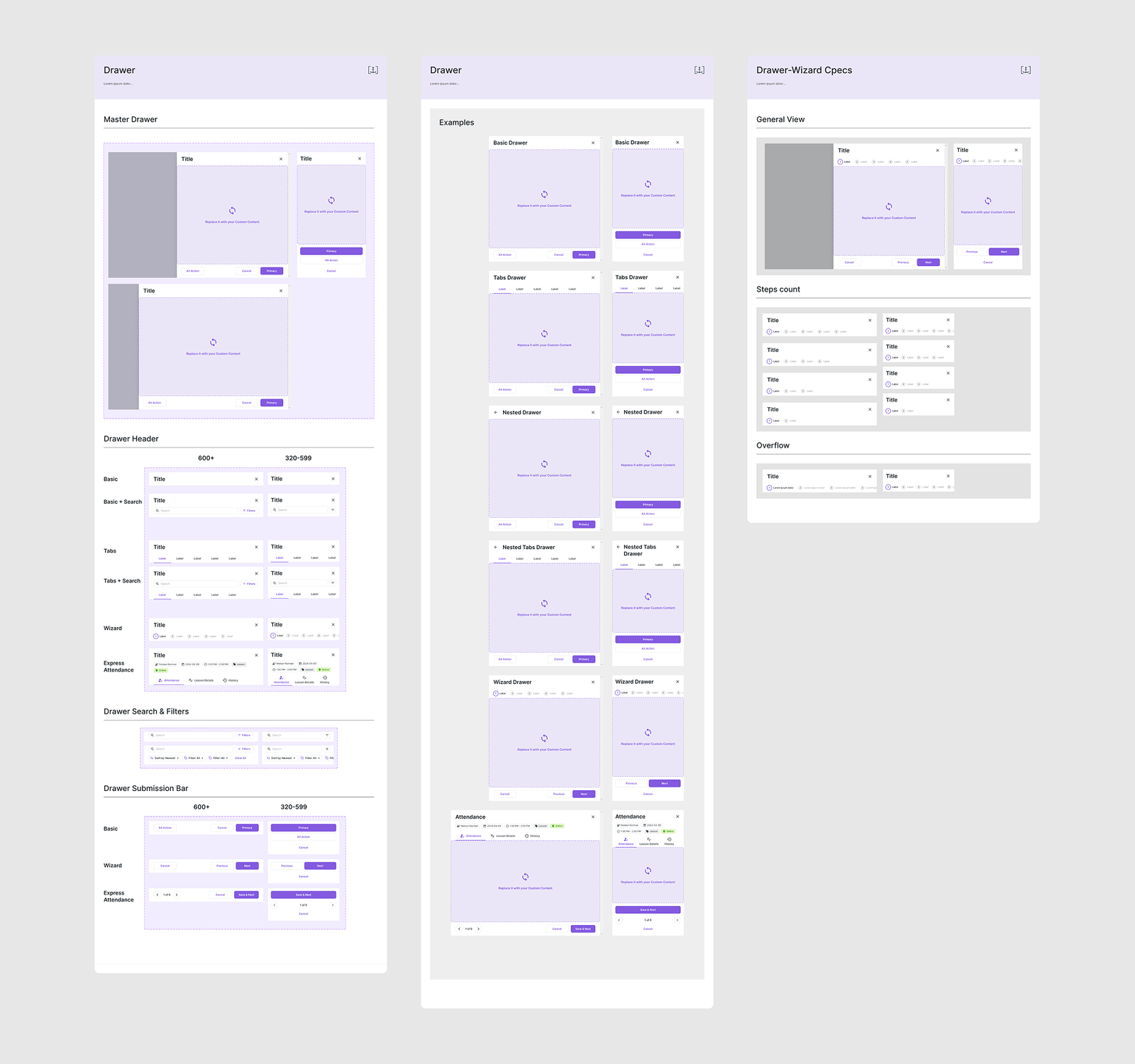
Long forms were squeezed into small centered dialogs and scrolled inside them. Forms now live in a full-height Drawer, with a Wizard variant for long flows. Developers now take the Drawer by default.
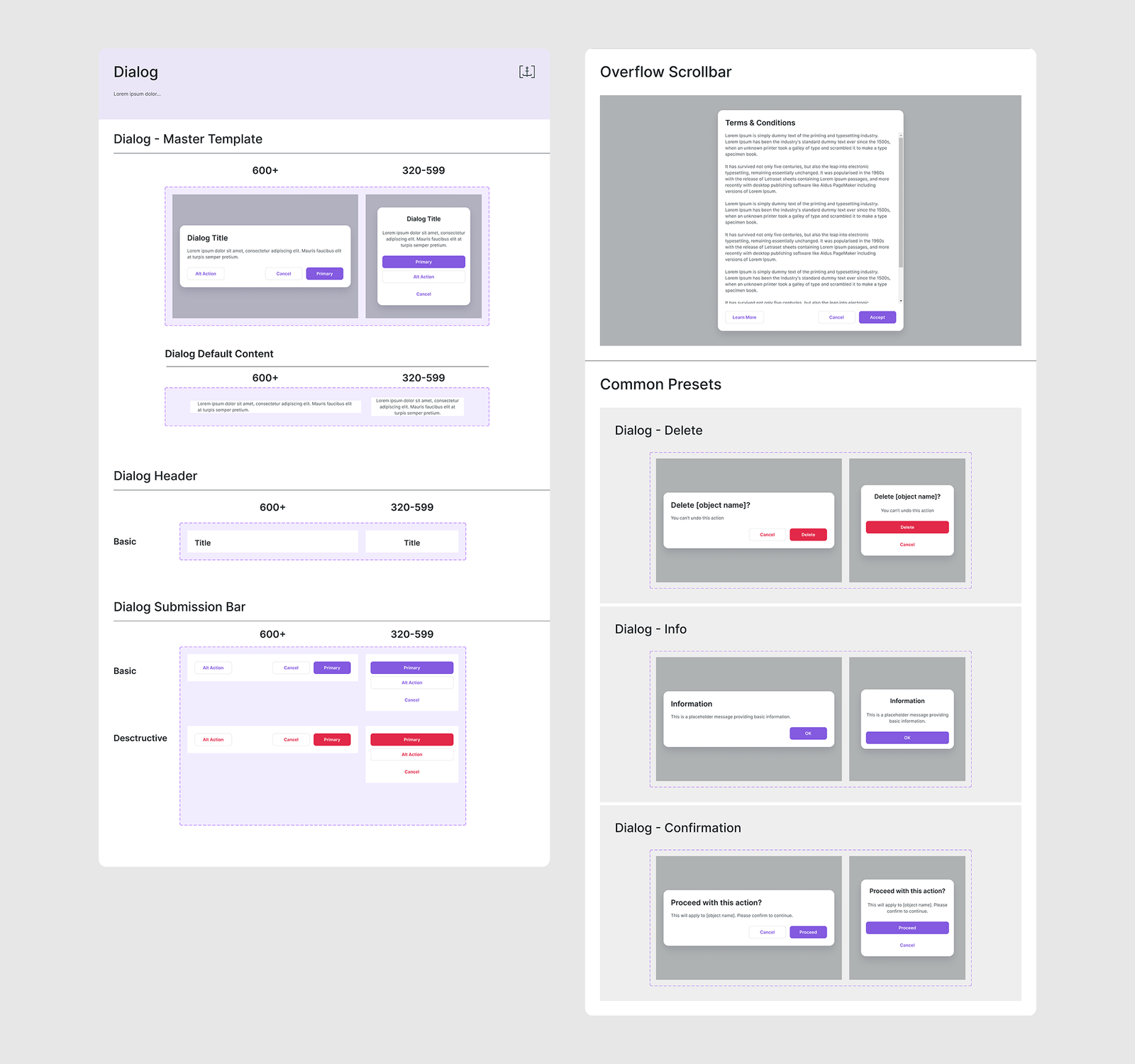
Dialogs stay for short decisions, with presets for Delete, Info and Confirmation.
Tables and the Filter Bar
A table is now a row template plus typed cells (Header, Basic, User, Action, Status, Contacts), swapped per column. The toolbar became its own pattern: one Filter Bar across tables, calendar and attendance.
I wrote it up separately:
Consolidating UX Patterns for Filtering and Content Control.
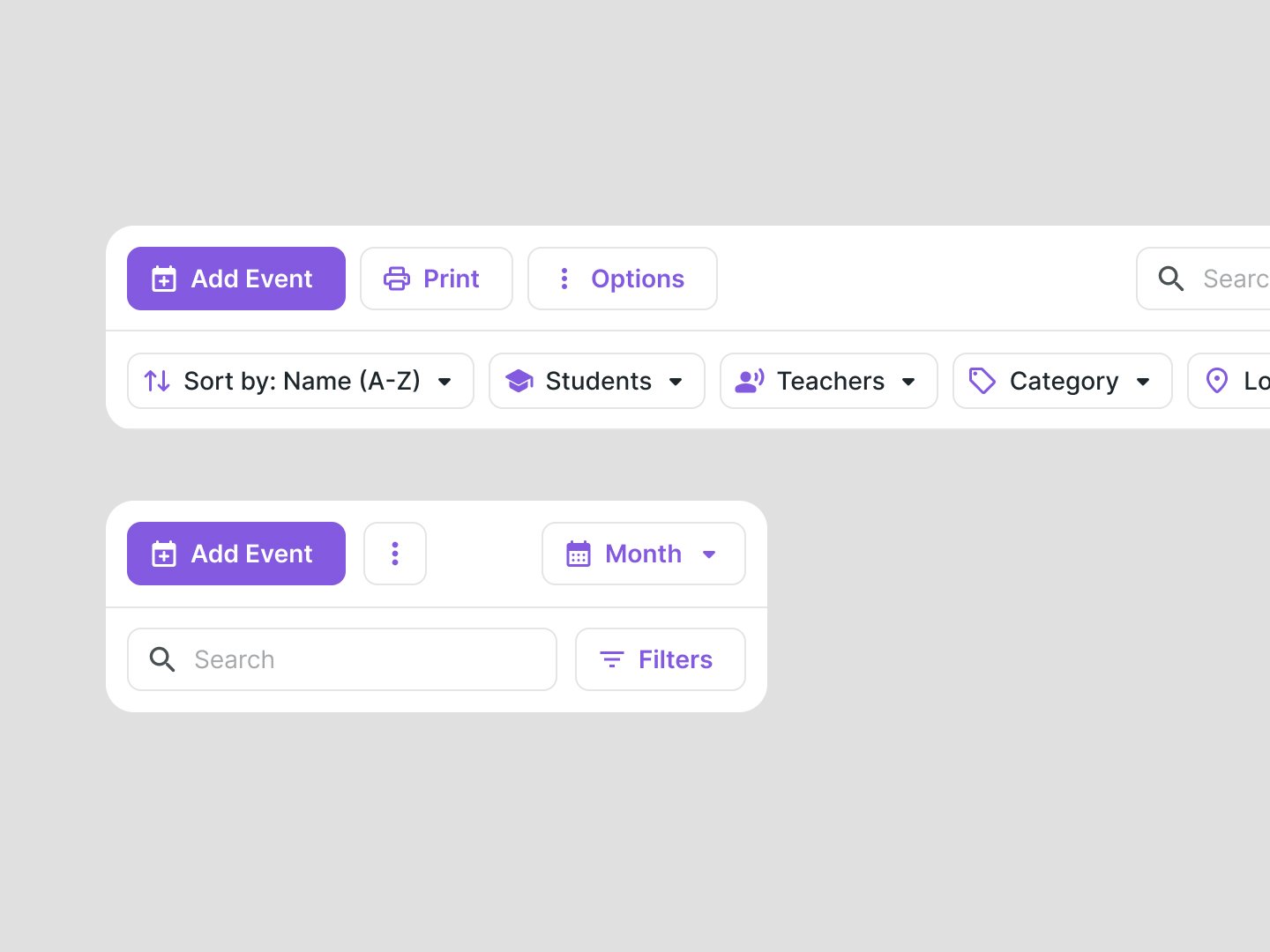
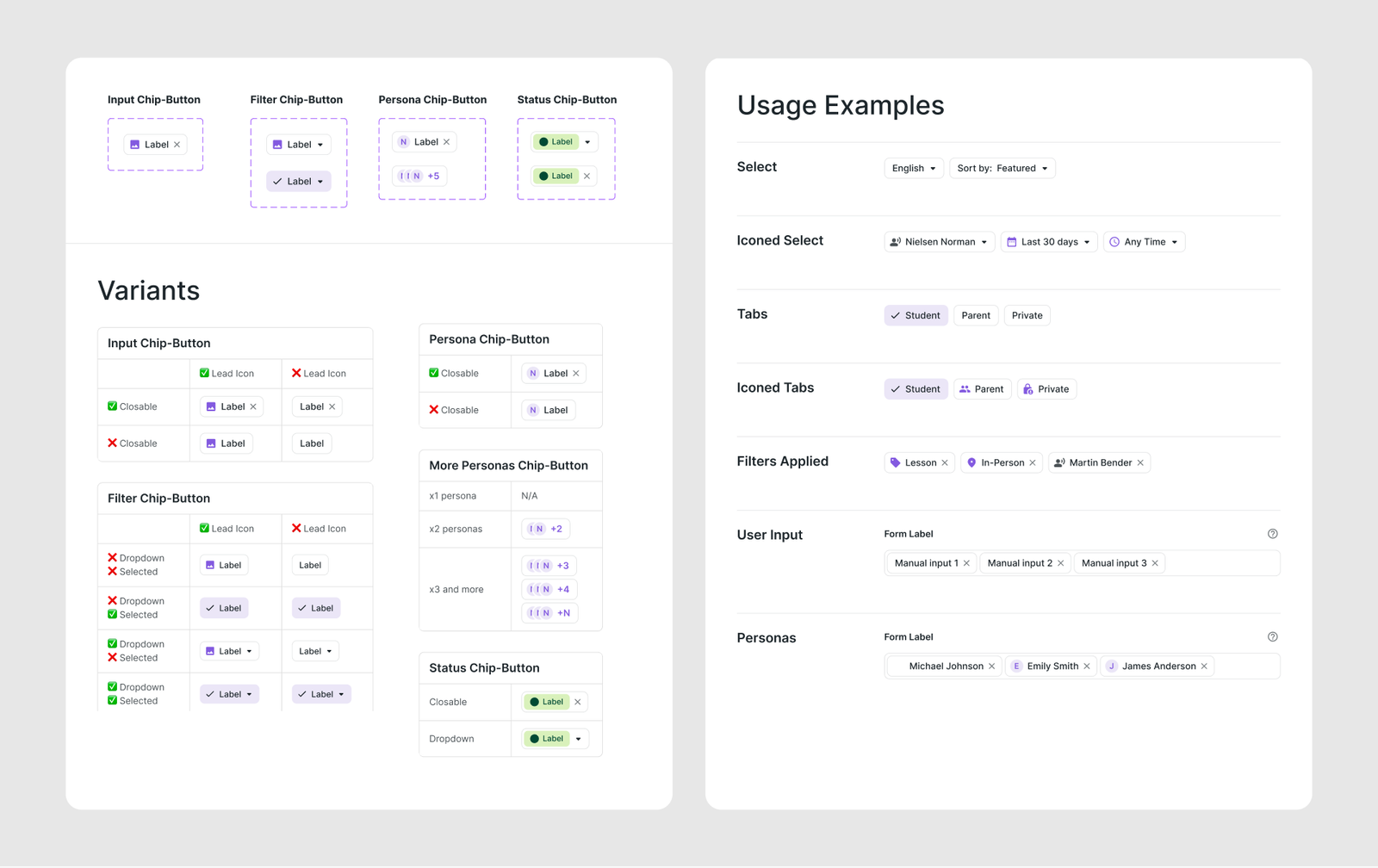
The Filter Bar is built from chips, and each chip type (input, person, status, filter) is its own component.
Figma matches code
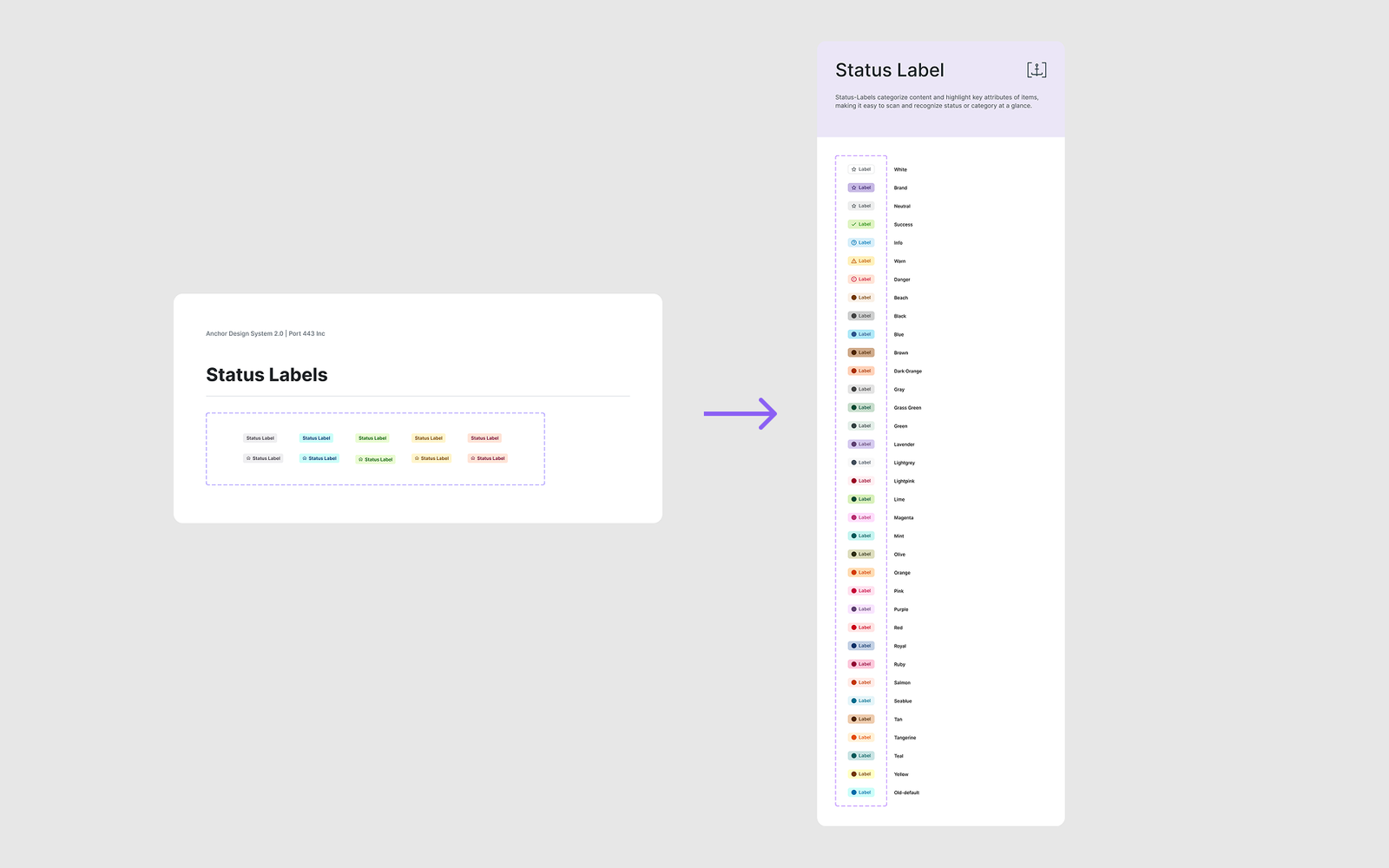
Inputs are named after real elements (input, textarea, mat-select) in place of about 150 static frames. Status labels gained 27 named colors that existed in code but not in Figma, plus 7 semantic types with preset icons.
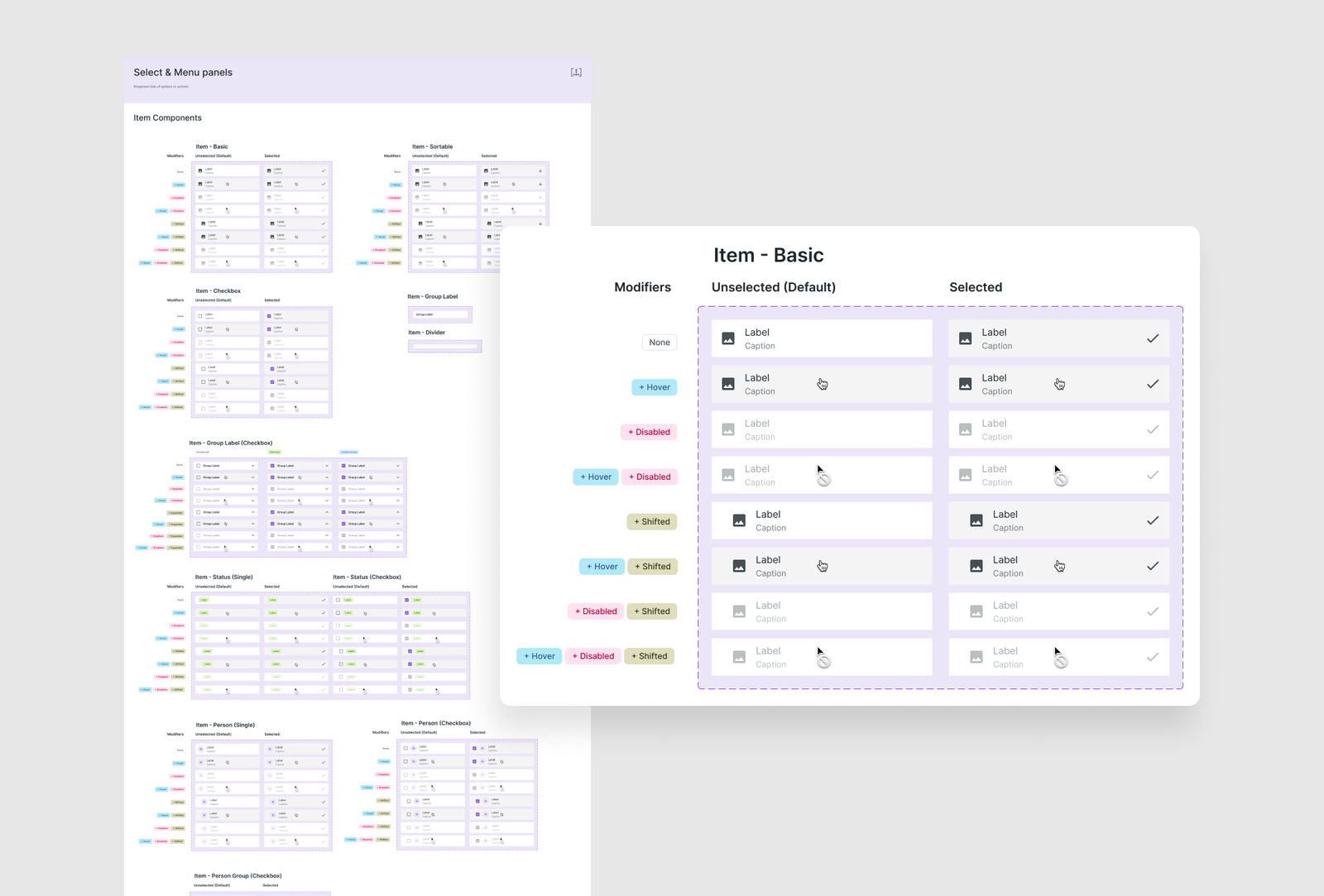
Dropdowns became an item system: one set of items (basic, checkbox, person, status, sortable) that works in any panel.
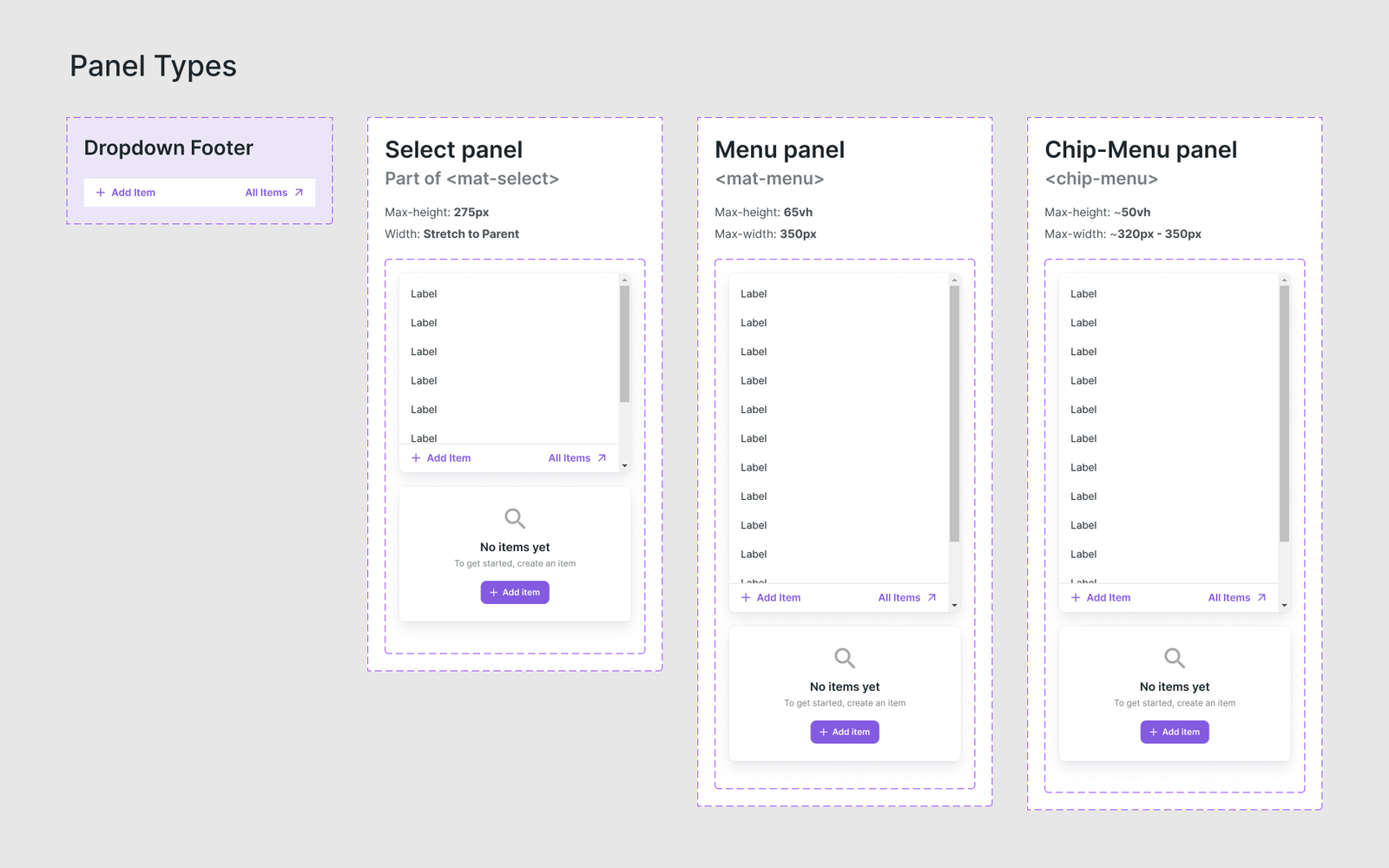
Items sit in three panel types, Select, Menu and Chip-Menu, with their own rules for height, width and empty states.
Results
The old library couldn’t scale and grow, so the new Core Library is built from the ground up: tokens first, then components, then modules assembled from them.
The new system replaced the old one across foundations, forms, tables, status labels, inputs and icons. Components now mirror what runs in the product, and developers use the Drawer and typed cells by default.
I did not measure task time or adoption, so I do not claim numbers for the speed of work.
Reflection
The hardest part was changing a live product: every step had to ship without breaking what customers already used, with a small team and a system that ran in parallel with product work.
Working with the developers from day one is what made it work. Now they take ready parts and stop hardcoding, design is faster, Figma matches the code, and new features were built on the system from the start.
If I did it again, I would measure results from the start: task time and how fast each component gets adopted. With more time and people, I would also bring AI agents into the upkeep of the system, for token sync, documentation and consistency checks.